











Determine the gender of a first name

Genderize is a simple API that predicts the sex of a person based on a first name.

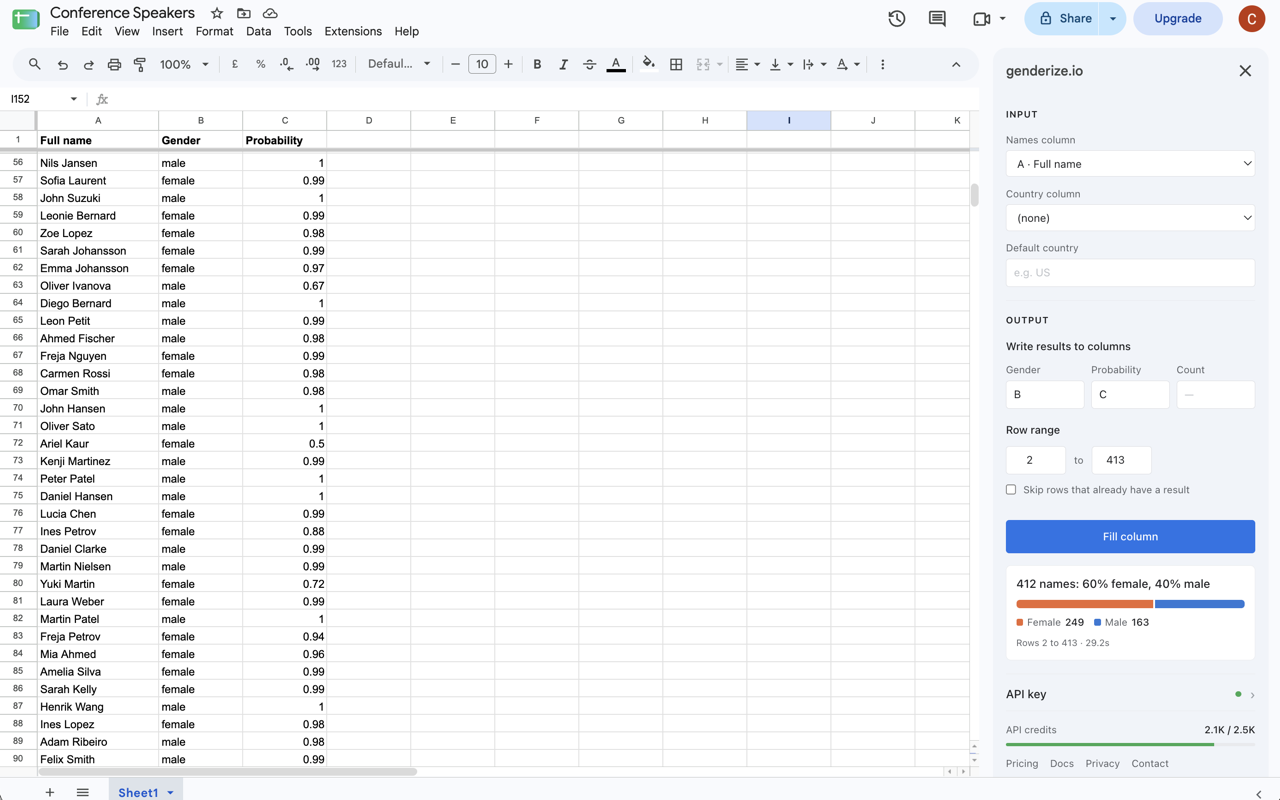
Genderize allows you to request the statistical probability of a name being male or female. The service is often used in academic work to research gender biases and commercially to gauge demographics for customer bases. In our case studies you'll find examples of how people are using genderize.io.

The API is free for up to 100 names/day. No sign-up or API key is needed. So go ahead and try it out. If you need more requests, you can sign up to obtain an API key.

You should use a single first name as the name parameter. There are many approaches to split names and clean up possible titles - to keep things transparent, the API will make no such attempts.

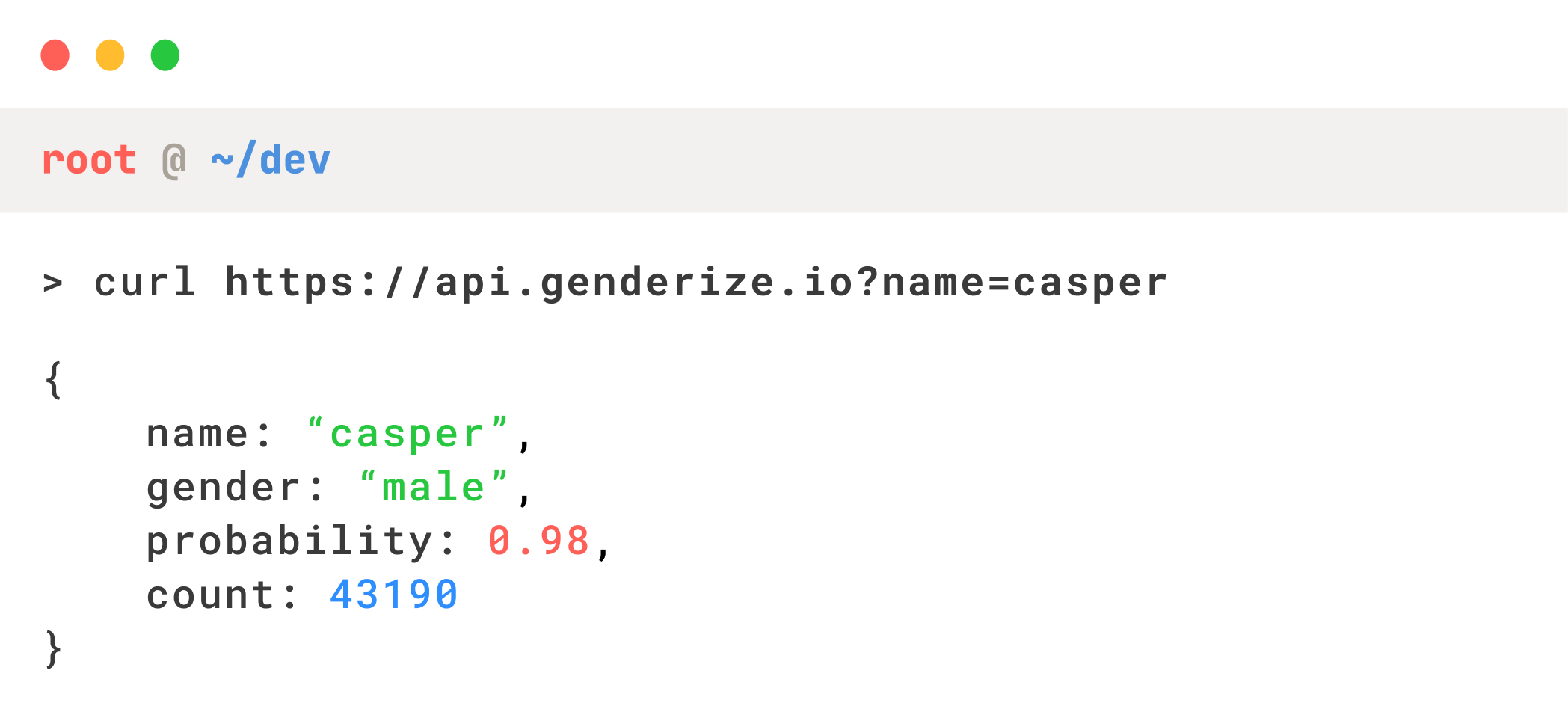
The response includes a gender, probability, and a count. The probability indicates the ratio of males to females in our dataset, and the count indicates the amount of data rows examined for the response.

It's worth noting that naming conventions can be influenced by demographics, so make sure you check out how to classify genders from a specific country.

Request
https://api.genderize.io?name=peter Try me
Response

name string

The processed name.

gender string

Whether the predicted gender is male or female.

probability float

The certainty with which the gender was predicted.

count integer

The amount of datapoints examined for the prediction.

Localization

Classification in the scope of a specific country

Naming conventions can rely heavily on demographics, so specifying a country for the lookup will, in many cases, make the prediction better.

The API accepts an optional country_id parameter. The API will return a response specifically for the provided country when used, and it's recommended to use it whenever you have the data available.

The dataset might be smaller for some countries, so it is worth checking the count and redoing the request globally if it's too low.

The service follows ISO 3166-1 alpha-2 for country codes. See our list of supported countries to understand the coverage for each country.

Request
https://api.genderize.io?name=kim&country_id=US Try me
Response
Request
https://api.genderize.io?name=kim&country_id=DK Try me
Response
Batch Usage

Checking the gender of multiple names in a request

The API allows you to infer the gender of up to ten names per request. To do so, send a list of names as the name parameter. The response will be a list of predictions.

Using localization on a batch request will apply the given country_id to every name in the batch.

Each name will count as a request towards rate limiting. If you don't have enough requests to process every name, an error will be returned.

Request
https://api.genderize.io?name[]=peter&name[]=lois&name[]=stewie Try me
Response
Rate Limiting

Managing the rate limits of the API

The API is free to use for up to 100 requests/day. If you need to do more predictions than that, you can obtain an API key from the store.

You should append the key to every request using the apikey parameter.

To keep track of the number of requests you have left for a given period, you can use the following HTTP headers returned in the response. If you're using an API key, you can also check your account to keep track of your usage.

Header Description
X-Rate-Limit-Limit
The total amount of names available in the current time window
X-Rate-Limit-Remaining
The remaining amount of names available in the current time window
X-Rate-Limit-Reset
Seconds remaining until a new time window opens
https://api.genderize.io?name=peter&apikey={YOUR_API_KEY}
Responses & Errors

How to understand your gender checking requests

All responses wil be in content-type: application/json, charset=utf-8.

Here's a list of possible error codes and their explanation.

Code Description Response
401
Unauthorized
{ "error": "Invalid API key" }
402
Payment Required
{ "error": "Subscription is not active" }
422
Unauthorized
{ "error": "Missing 'name' parameter" }
422
Unauthorized
{ "error": "Invalid 'name' parameter" }
429
Too many requests
{ "error": "Request limit reached" }
429
Too many requests
{ "error": "Request limit too low to process request" }